3D Arena Racing
anonymous
stunt
car
supercars
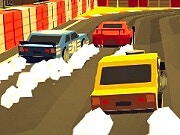
Drive in 3D Arena Racing on your own or against a friend. Choose a race or stunt arena and use separate keyboard controls in two-player mode.
How to start 3D Arena Racing
Mode: Single player or local two-player driving
Use a computer with a keyboard. Click inside the game window before using the keys.
- Choose Play in the loader and wait for the 3D title screen.
- Choose Play, then select the desired player count and driving mode.
- For two players, use the letter keys for Player 1 and the arrow keys for Player 2.
Controls
| Player or action | Input |
|---|---|
| Player 1 | W / A / S / D: drive. |
| Player 2 | Arrow keys: drive. |
Follow the running game if its on-screen controls differ. Reload game restarts the session.
TwoPlayerGames mode and controls reference
Need help with loading or keyboard focus? Read game help.

2-Player
Save My Pet Party
Cute animals
bee
Party

2-Player
King of Fighters 2
Fighters
2player
King

2-Player
Hotel Manager
Hotel
transportation
Manager
2-Player
Obby Survive Parkour
3D
escape
reflexes
2-Player
3D Arena Racing
stunt
car
supercars

2-Player
Naruto vs One Piece 2.0
One Piece
Tobirama
Naruto
1 Player
Snow Rider 3D
Snow
3D
smooth

2-Player
Street Fighters
fighting
abilities
2player

2-Player
City Car Stunt 3
Car
physics
Stunt
2-Player
Dogfight 2
Dogfight
agile
sky

2-Player
Comic Stars Fighting 3.6
Comic
2player
fighting